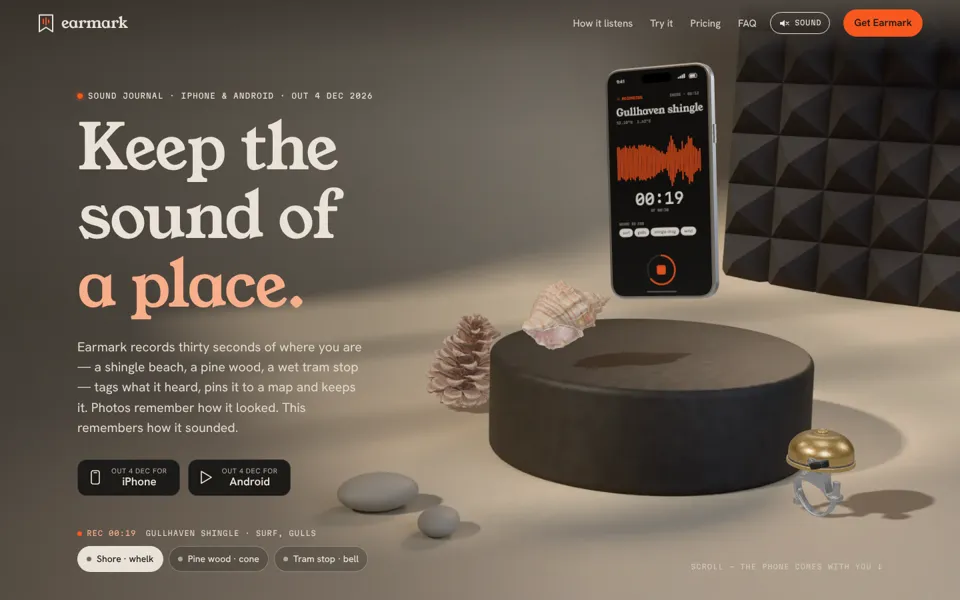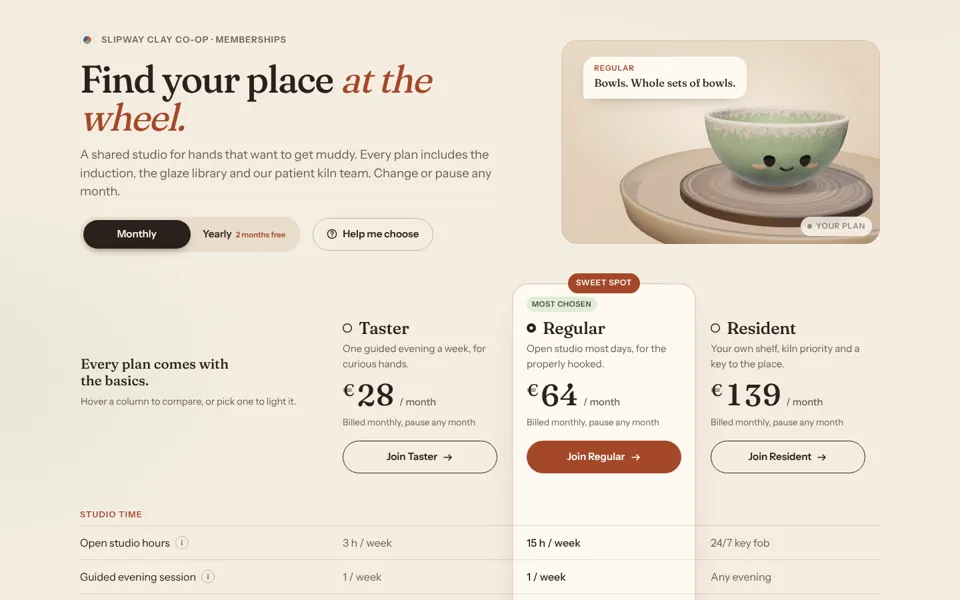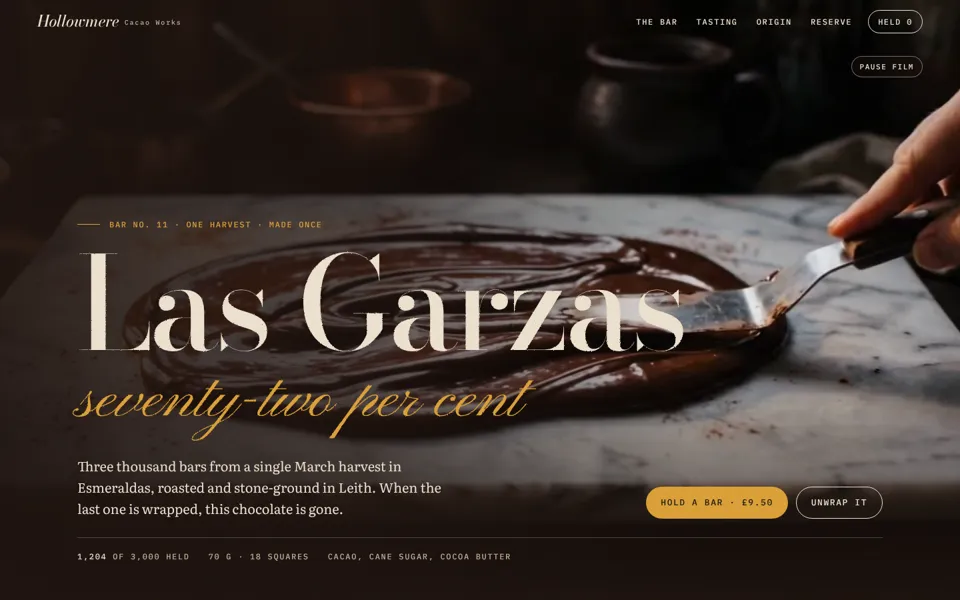
Site · Product launch
Ostra Speaker product page with Blender-rendered scroll sequences
A premium product page where scrolling turns the speaker through a rendered turntable, then explodes it into labelled parts. Live sound demo, colour picker, compare and a working bag.
What's in the prompt
- A full written spec: layout, tokens, every animation with its numbers, responsive rules
- The complete working code as the reference implementation, also as a ready-to-run .zip with every image, video and 3D model
- Accessibility, reduced motion and fallbacks already handled
- A “Make it yours” checklist so your site looks like nobody else’s
- Type
- Site
- Built with
- HTML, CSS, JS · no libraries
- Prompt size
- 96 KB
- Tags
- product page, image sequence, scroll animation, apple-style
- Updated
- 2026-11-26
Use it in three steps
- Copy the prompt with the button above.
- Paste it into your AI (Claude, Claude Code, ChatGPT, Cursor…) and add your edits.
- Launch the single
index.htmlanywhere: Cloudflare Pages, Netlify, GitHub Pages.
About the Ostra design
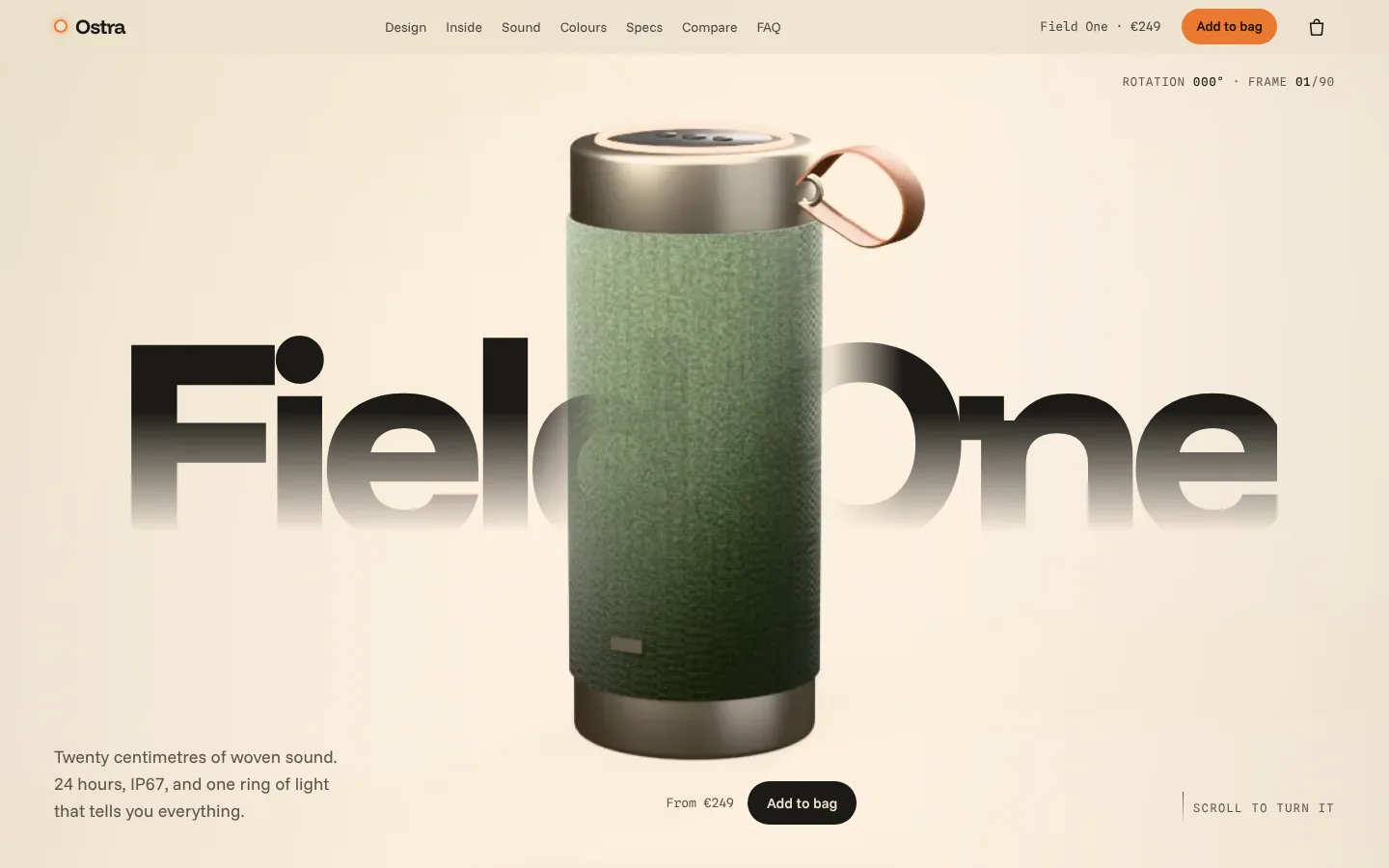
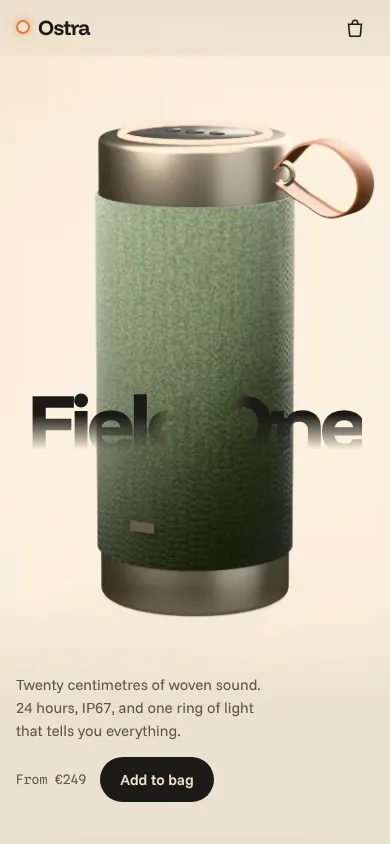
Ostra is a product page for a fictional portable speaker, the Field One: a 20 cm cylinder with a woven sleeve, turned aluminium end caps, a leather carry loop and an amber light ring. It is a warm cream studio page with one dark chapter. Funnel Display sets the headlines, Funnel Sans the body and Spline Sans Mono every label and number. The signature is that the product is shown as Blender Cycles renders played back as image sequences on a canvas and scrubbed by scroll, so the page needs no 3D library.
In a 420vh hero, a 90-frame turntable turns the speaker a full 360° behind a giant masked Field One wordmark while four material chapters fade in. A dark 460vh section plays a 72-frame exploded view: the sleeve slides off and seven internal parts separate on one axis, with labels pinned by the render camera's own projection. Below come a feature grid with small live motion in each tile, a live sound demo with three tuning profiles, a colour picker that swaps the turntable frame set, specs with a battery estimator, a three-model compare, a muted film loop, an FAQ, a sticky buy bar and a working bag.
Good for
- Consumer hardware launches: a turntable and an exploded view show the product from every side and inside
- Small product brands with a Blender model: the same render settings feed both scroll sequences
- Audio products: the demo synthesises a groove and applies three tuning profiles without audio files
- Products sold in colourways: picking a swatch swaps the turntable frames, the bag and the buy bar
- Ranges with three sizes: the compare cards scale a silhouette to each model and add it to the bag
How Ostra is built
- Coarse-to-fine frame loading. Each sequence loads every 8th frame first, then every 4th, every 2nd and the rest, six at a time and decoded before use;
draw()paints the nearest loaded frame and repaints only when that index changes, so scrubbing works before every frame has arrived. - Labels from the render camera. The seven exploded-view labels are placed with the same pinhole projection as the Blender camera (85 mm lens on a 36 mm sensor at 1280×720), follow the parts' keyed heights and appear from frame 38, staggered by 3 frames.
- Masked hero wordmark. The 21vw Field One word has a vertical gradient fill and a horizontal mask that fades the letters where the product stands, then scales from 1 to 0.62 and fades out over the first 16% of the hero.
- Synthesised sound demo. A 96 BPM groove (kick, snare, hats, bass and pad) runs through shelf, peak and low-pass filters that Outdoor, Indoor and Night retune with a 0.25 s ramp, and an FFT-512 analyser drives 96 radial bars on the light-ring visualiser.
- Per-breakpoint frame sets. Desktop loads 1280×720 frames and phones 480×720 portrait frames; sequences start loading within 120% of a viewport, and Save-Data or a 2g/3g connection loads only every 2nd frame.
Images, video and 3D
Blender Cycles turntable renders of the speaker on a cream studio sweep: 90 frames for the Moss hero, 45 for the Clay colourway, one Slate preview still and 72 frames of the exploded view on a dark sweep, each as desktop and mobile WebP sets at about 17 KB a frame. Some in-between frames were filled with motion-compensated interpolation. It also uses two lifestyle photos and a 4.4 s dusk loop (WebM and MP4 with a poster) made with AI image and video generators. Everything on disk is about 7 MB. To make your own, render your product with one fixed camera and sample the page colour from the backdrop edge.
Build it with Claude
Ask Claude for the full index.html. Without the frame folders the canvases stay on the paper colour, but every control can still be tested in the preview: the sound demo's play button and profiles, the specs tabs, the battery estimator, the compare buttons and the bag. Check that the same model and colour stack to a maximum of 9 and that the reserve form flags a bad email and an empty postcode.
Claude guide →Build it with Claude Code
Put the frame folders under assets/seq/ (hero/moss, hero/clay, hero/slate and expl, each with d and m sets), the two photos and the film files in assets/, and serve with python3 -m http.server. Ask Claude Code to scroll the hero headlessly and log the frame index against progress, to confirm phones at 390 load the m set, and to check that reduced motion shows the last exploded frame with every label.
Build it with ChatGPT
Ask ChatGPT for the page in parts, or in canvas: the HTML and CSS, the Seq class and scroll engine, the exploded-view label projection, the Web Audio groove, then the colour picker and bag. A common follow-up is the frame naming: check that paths follow assets/seq/<name>/<d|m>/NNN.webp with three-digit numbers starting at 000, or no frames will load.
If it doesn’t work
- Scrolling stutters or the canvas flashes blank: draw the nearest loaded frame rather than waiting for the exact one, and repaint only when the drawn index changes.
- The exploded labels drift off their parts on phones: the mobile frames are a 480px centre crop, so offset the projected anchors by −400px.
- A seam shows where the canvas meets the page: sample
--paperfrom the render's background edge (#ebe0cf here) and fill the canvas with it before each draw.
Questions about Ostra
Why does Ostra use WebP frames instead of scrubbing a video?
Seeking a video costs time on every scroll step (a median of 24.6 ms in the template's own test, and much more at the slow end), while a decoded WebP frame draws in about 0.03 ms. The 90-frame hero comes to about 1.5 MB of WebP, against 1.11 MB for an all-intra MP4 of the same frames, so the size cost is small.
Does the Ostra bag take payments?
No. The bag keeps items in localStorage, shows a free-delivery bar at €300 and validates an email and postcode, then shows a reference number and empties itself. Nothing is charged or sent, so connect it to your own shop before launch.
Make it yours
This prompt rebuilds one exact page. If everyone ships it unchanged, the sites will look alike. Before you paste it, change these lines so the result is yours. Each change is one edit to the prompt, and the structure and interactions stay the same.
- Product and brand. Swap "Ostra Field One" for your own physical product: a kettle, a camera, a lamp, a bottle, a watch. Keep one hero object that can turn on a turntable and has 5–8 inner or layered parts for the exploded chapter. Keep four material chapters and three models in the compare so the layout balances.
- The signature sequence. Re-render it in your own world. Use a stone plinth instead of a paper sweep, a turntable that tilts 15° as it turns, or an exploded view that opens radially (petals) instead of along one axis. Keep the scroll-to-frame mapping, the nearest-frame drawing and the projected labels.
- The dark chapter. Replace the near-black exploded stage with a deep colour that suits your product (oxblood, petrol, forest). Keep
--night-inkat ≥ 7:1 against it. - Palette. Replace
--paper,--inkand--amberwith your brand colours. Sample--paperfrom your render's background edge so the canvas melts into the page, and keep--mutedat ≥ 4.5:1 on--paper. - Type pairing. Swap Funnel Display + Funnel Sans for a different display grotesk or serif and a plain body face. Keep a mono for every number and label.
- The sound demo. Turn the synthesised groove into your product's live demo: a kettle's boil curve, a camera shutter, a lamp's dimming curve on the visualiser ring. Keep it file-free, so it is generated in the browser.
- Imagery. Regenerate the two lifestyle photos and the film loop of your product in your setting. Use one lens, one light and one grade for the set, put no text in the images, and make the loop locked-off with one slow natural motion.
- Copy voice. Rewrite the headlines as short, factual claims you can stand behind ("Turned from one billet."), not slogans.
"Build exactly as specified, but with these changes: …"